Solutions

Systems we built. Running real businesses.

A custom manufacturing ERP we developed for a client and Nexvora Workspace, our own business platform, are both live and in daily use. Nexvora ShopPOS, our new billing and inventory software for retail shops, installs on the shop’s own computer.

01 · Client project · custom manufacturing ERP

ERP Grande

Built for a client · live in production

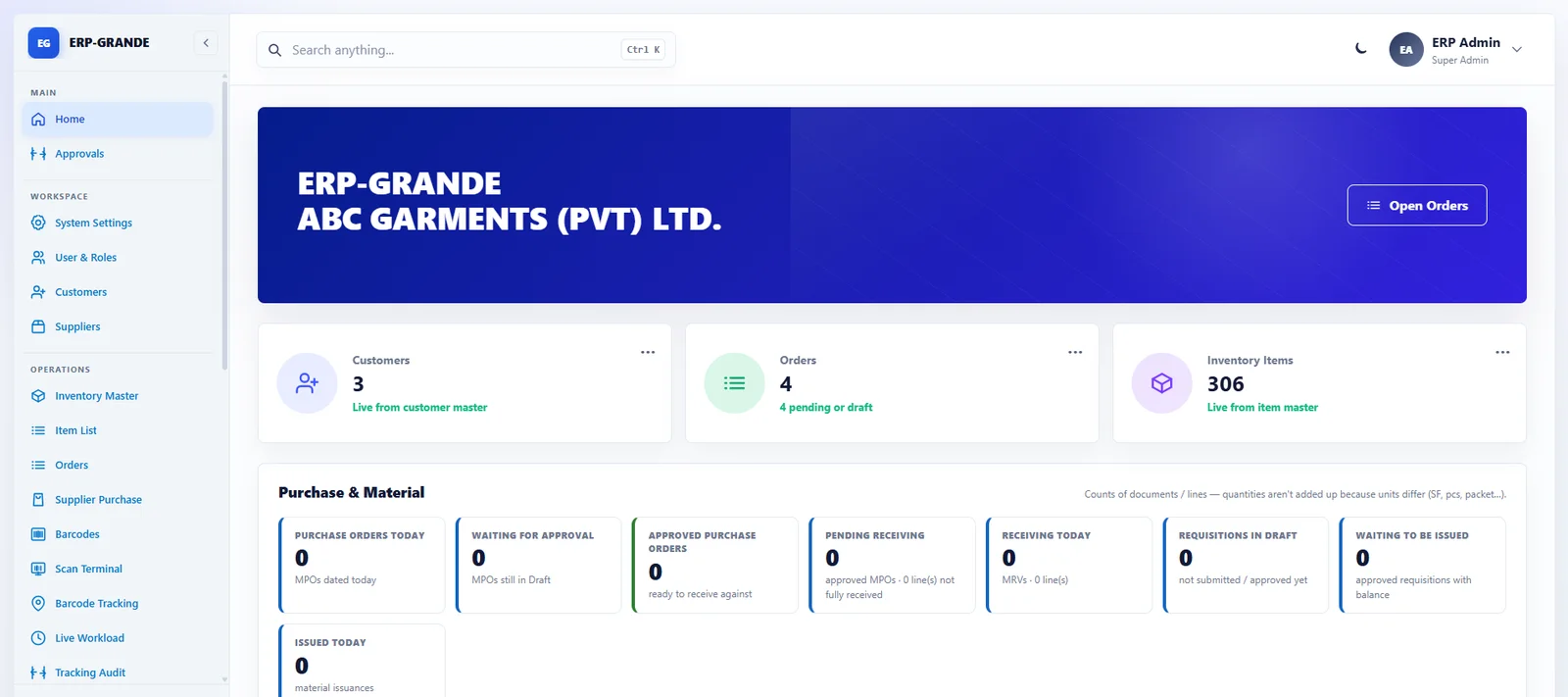
Custom manufacturing ERP developed for a client under their own branding. A complete operations ERP for garment, leather and manufacturing businesses — from customer purchase orders to materials, production floors, quality and reporting, in one traceable system.

ERP Grande dashboard with customers, orders, inventory and purchase status
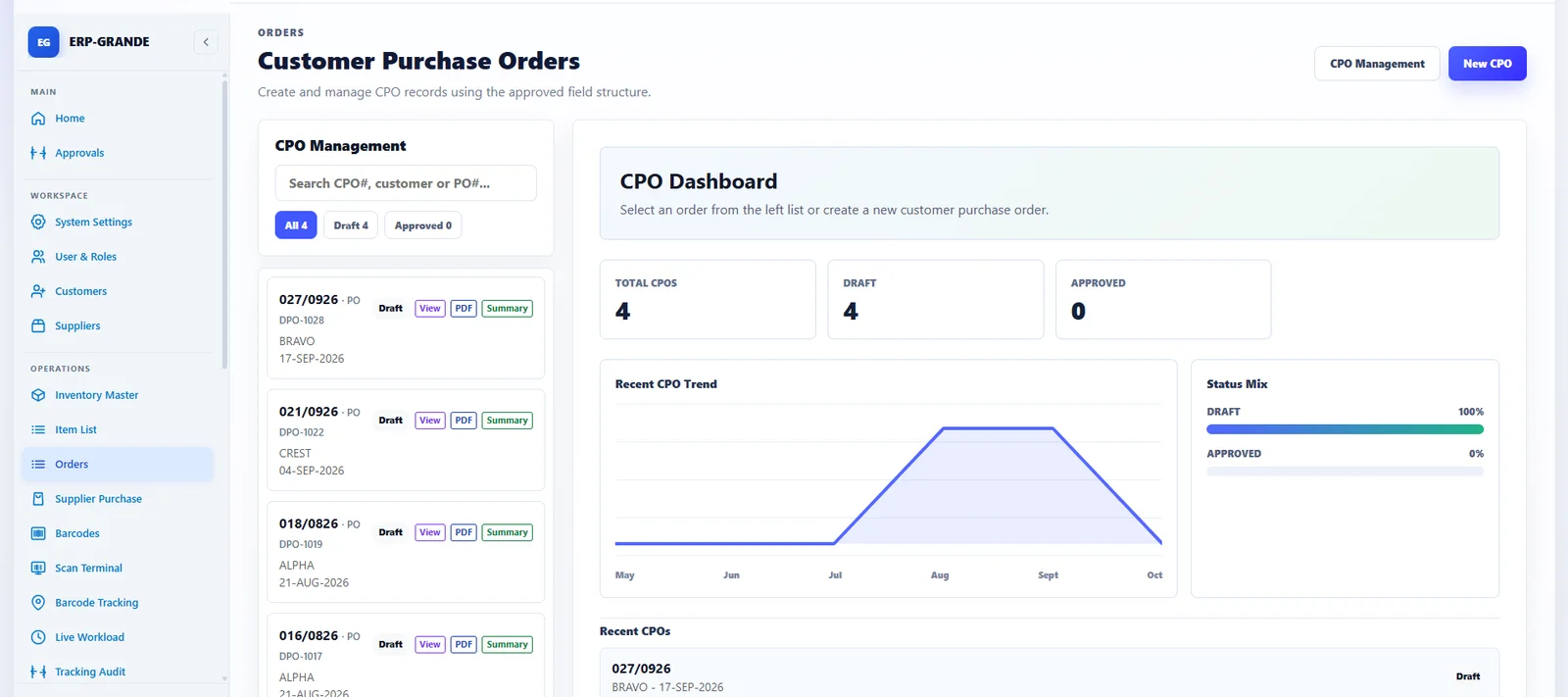
ERP Grande Customer Purchase Orders
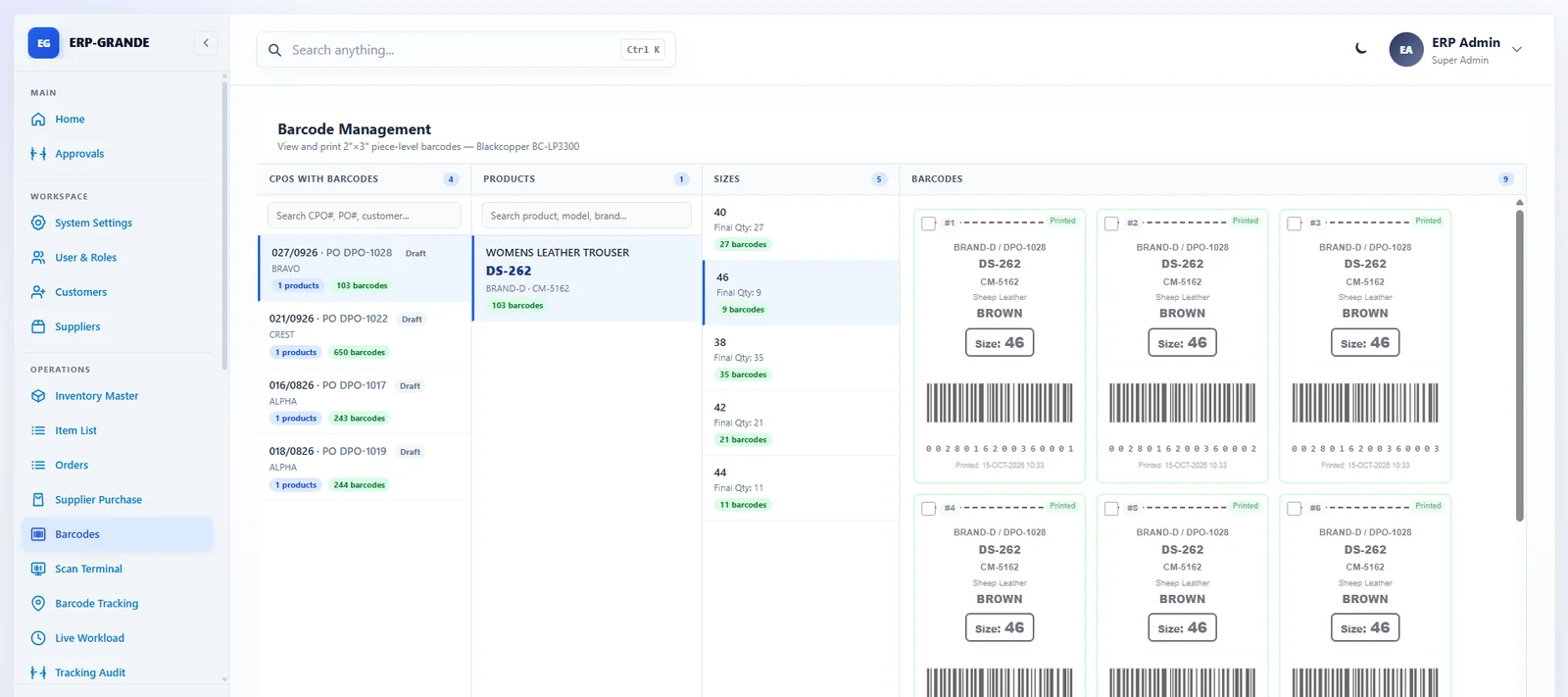
ERP Grande barcode management with printable piece labels
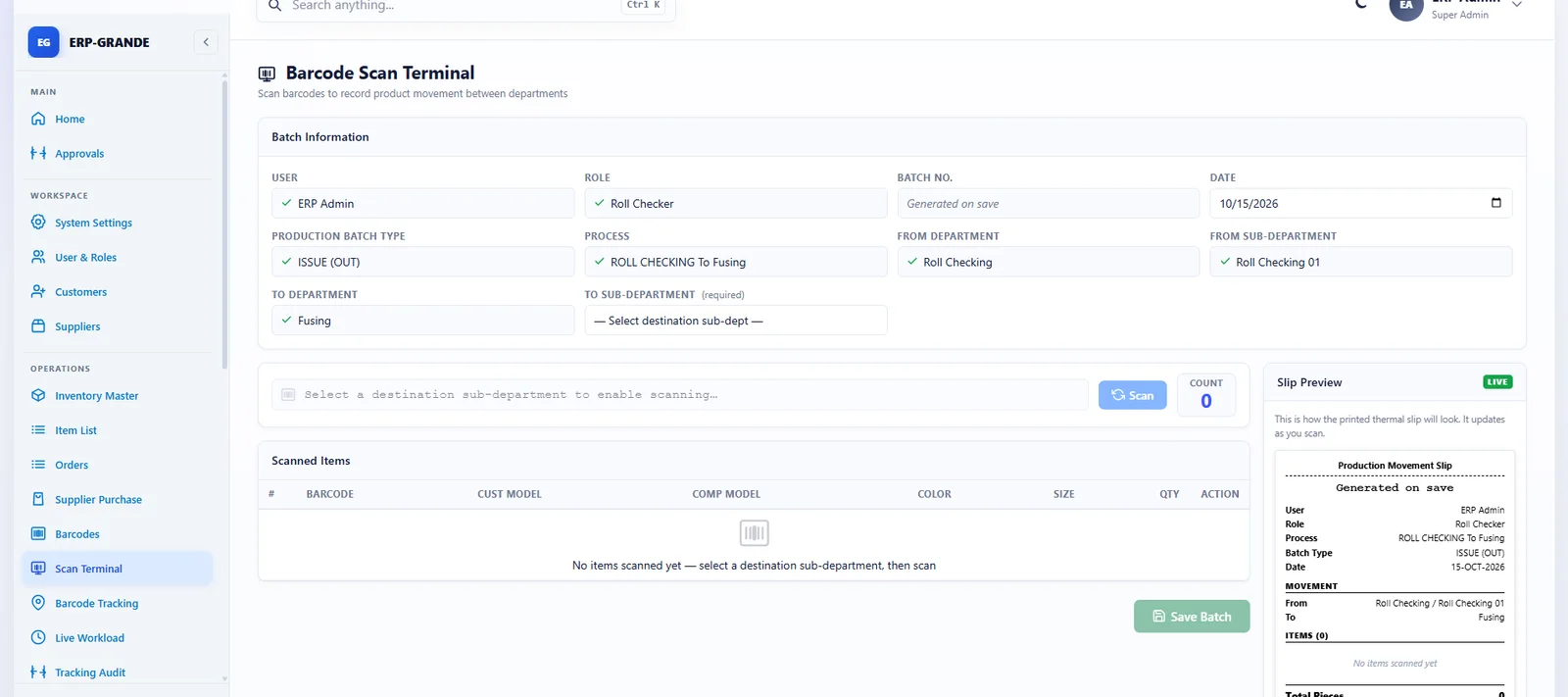
ERP Grande barcode scan terminal with live slip preview
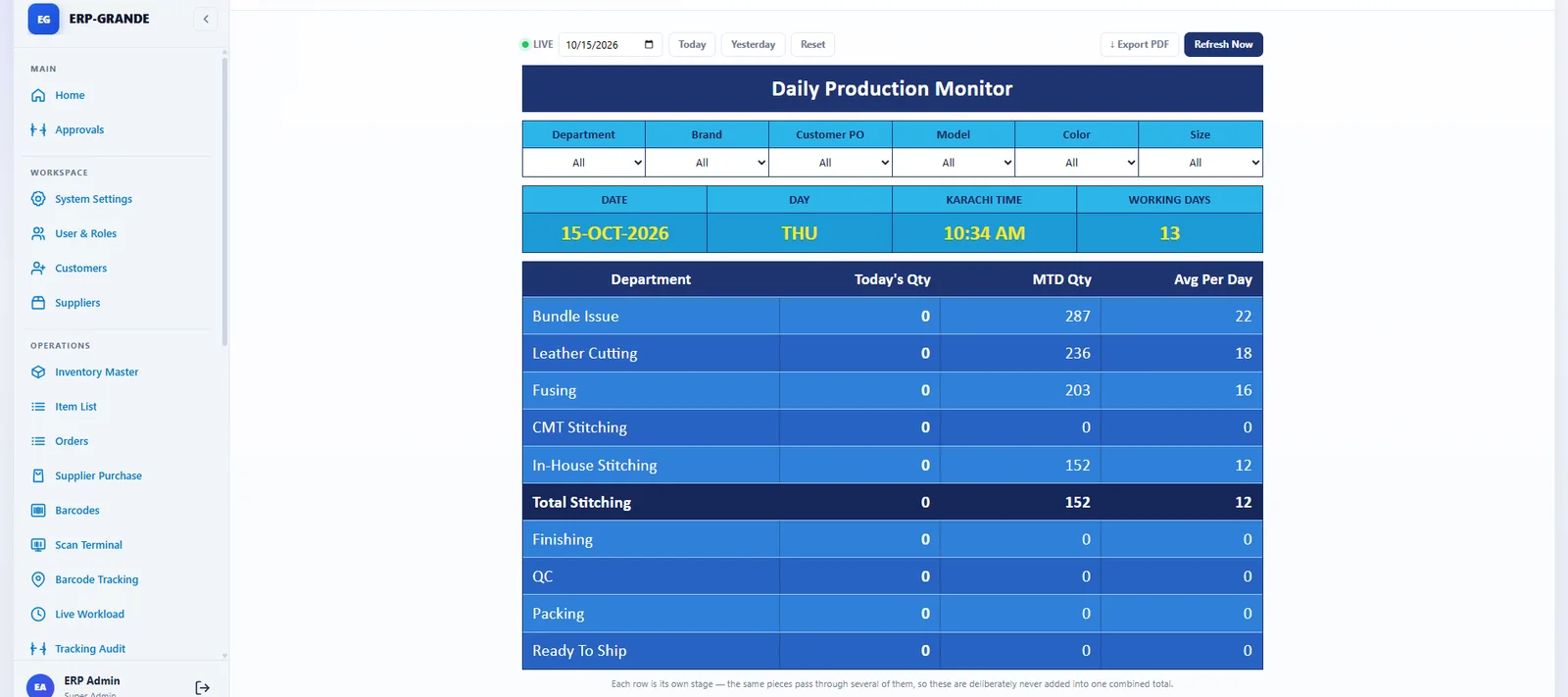
ERP Grande daily production monitor by department
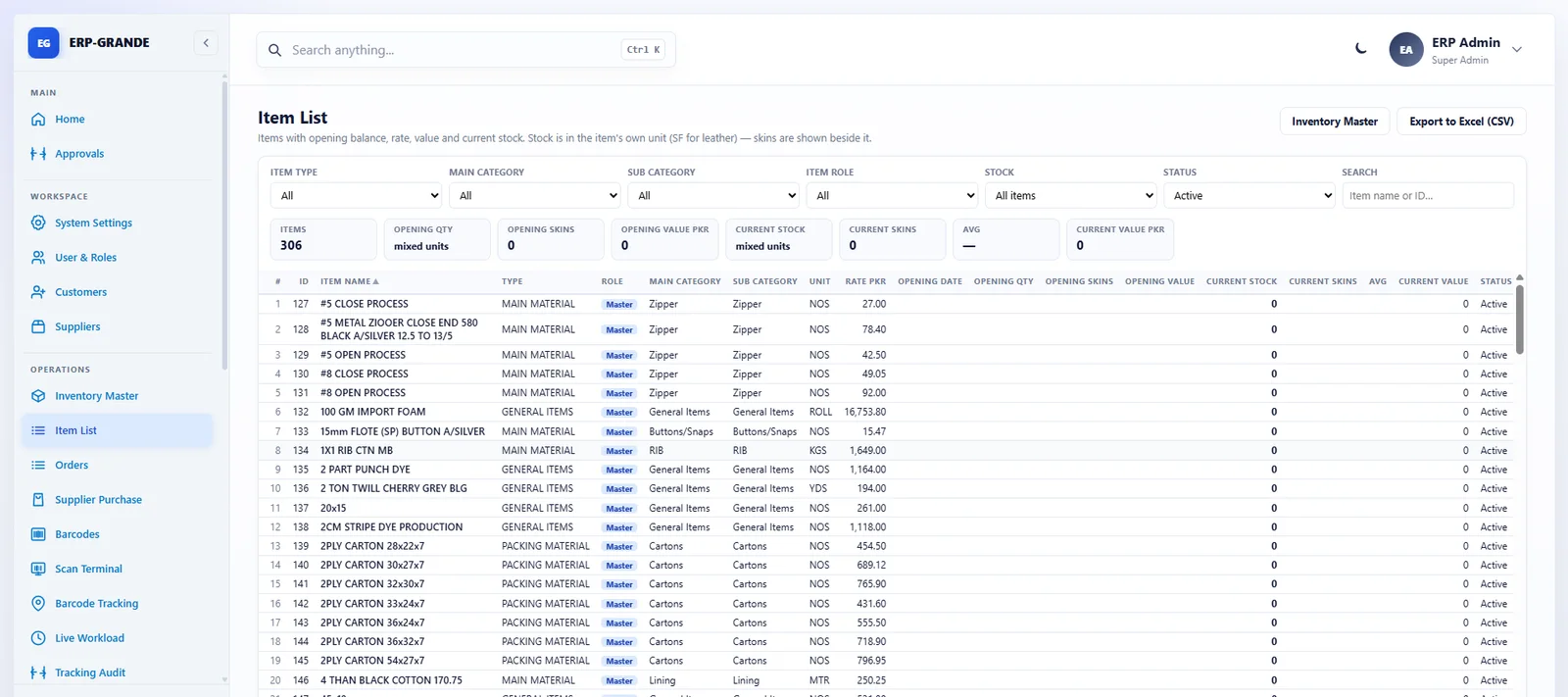
ERP Grande item list with categories, units and rates
  • Customers & orders

    Customer masters, brands, contacts and Customer Purchase Orders with size breakups, images, instructions and approvals.

  • Materials

    Material Requisition → Issuance → Receiving (MRV) against challans, with live issued and balance quantities.

  • Production tracking

    Barcode slips, department-wise scanning, worker assignment and Live Workload with reassignment.

  • Models & costing

    Model master with bill of materials, model cost sheets and procurement plans as one-page PDFs.

  • Quality & compliance

    AQL standards, inspection parameters, lab tests and customer-specific quality instructions.

  • Reports & documents

    Daily Production, Work Progress (in / out / balance), Leather Cutting and branded CPO PDFs.

Latest updates

  • Work Progress Report — in, out and balance by department, with PDF
  • Daily Production Report — quantity by department, day by day
  • Material Receiving Voucher (MRV) for goods received against a challan
  • Material Requisition and Issuance linked to model cost sheets
  • Live Workload filters by brand, model, colour and size, with reassignment
  • Permission-aware dashboard and Merchandiser Manager access

Built with

  • ASP.NET Core (.NET 10)
  • SQL Server
  • Entity Framework Core
  • QuestPDF

Made for

  • Garment manufacturers and exporters
  • Leather and footwear units
  • Textile and multi-brand B2B operations

02 · Business operations platform

Nexvora Workspace

Live · Cloud or your own server

One connected workspace for growing businesses — leads, quotations, projects and tasks, invoices that bill themselves with automatic payment reminders and online Pay now, a private account page for every client, payments and accounting, business and HR reports in Excel and PDF, HR, attendance, payroll and expense claims, with your email and WhatsApp in the same place, a mobile app for your staff and an AI assistant that does the work you ask for.

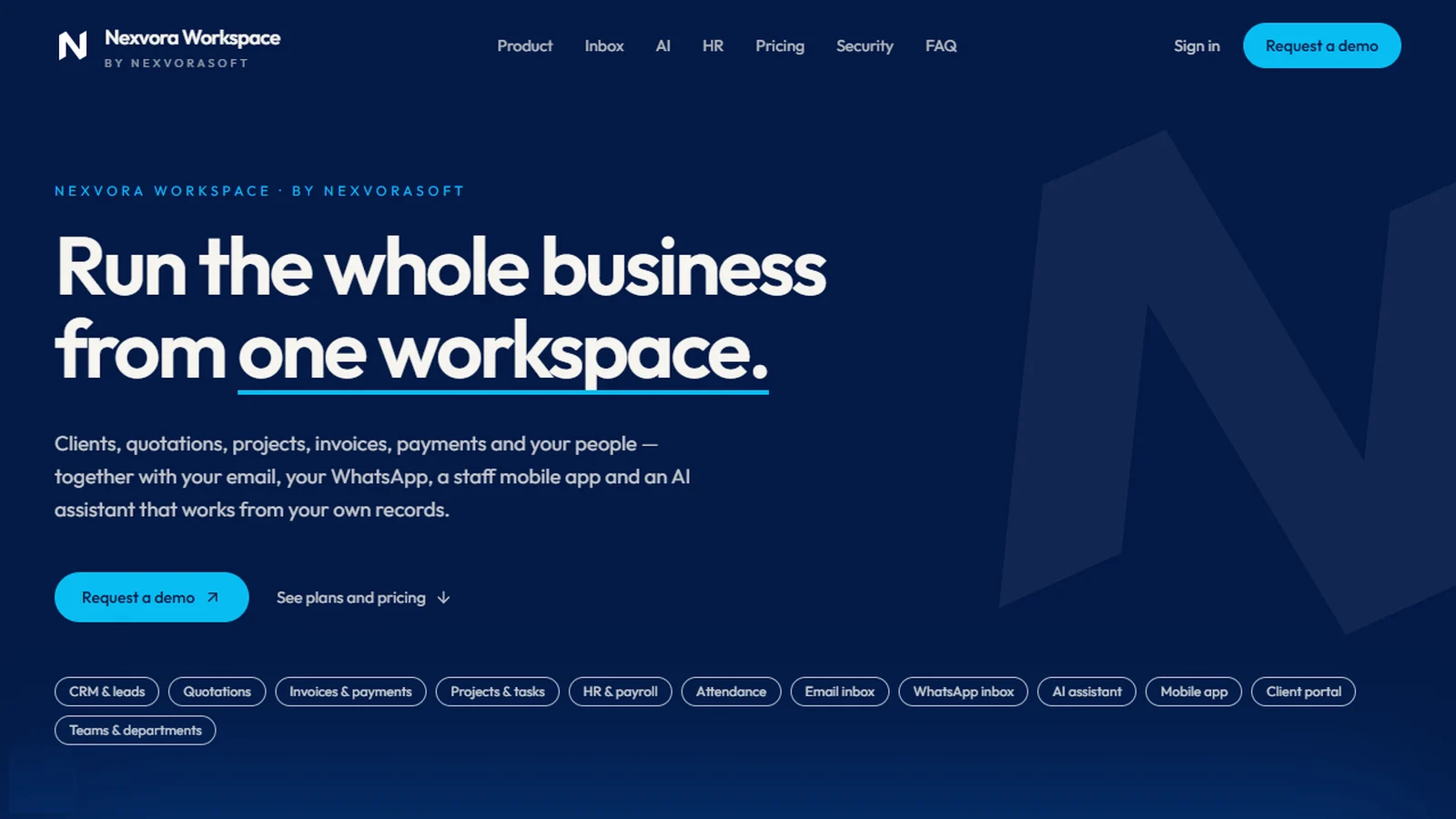
Nexvora Workspace — run the whole business from one workspace
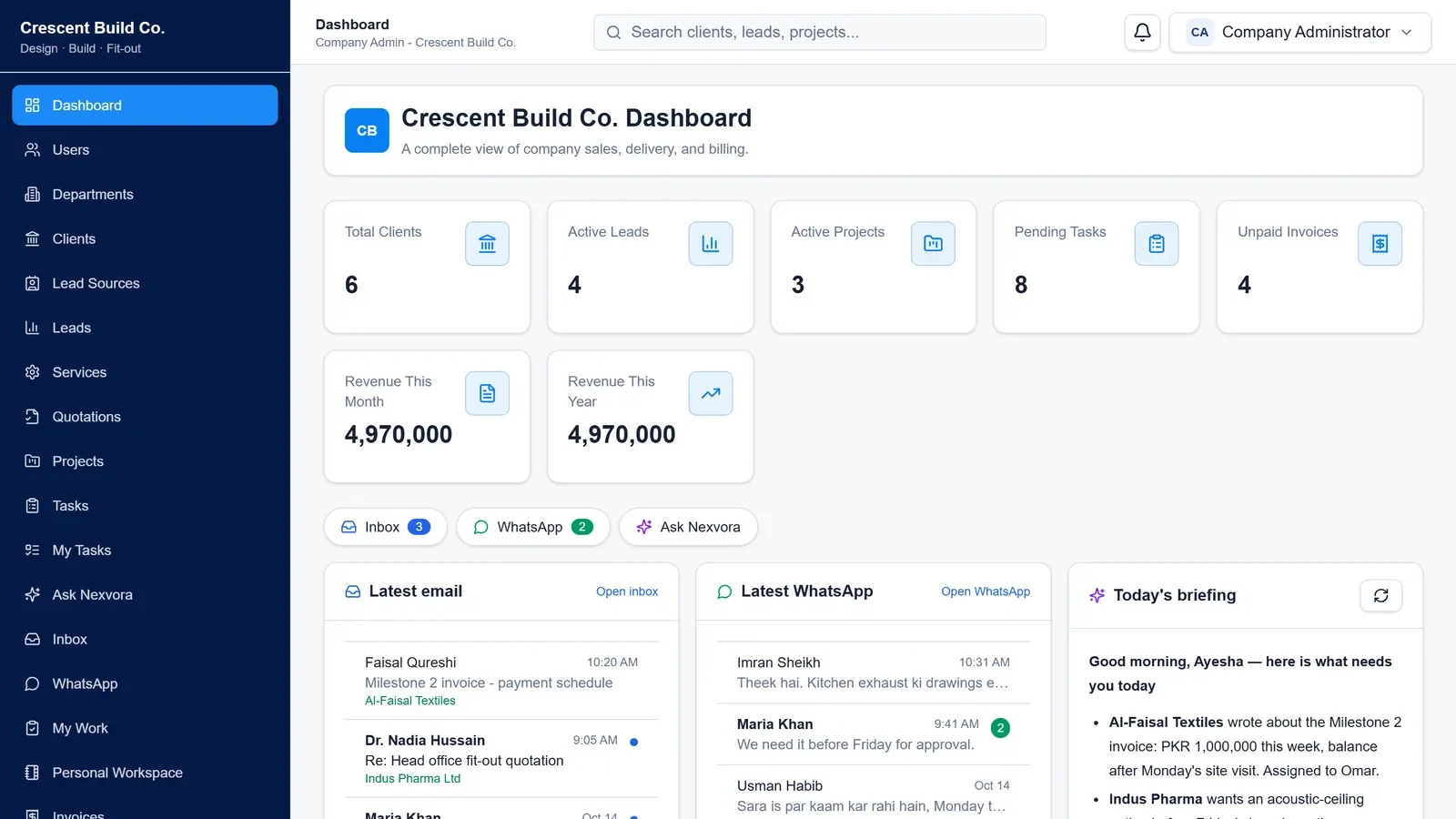
Nexvora Workspace dashboard with company numbers, latest messages and the AI briefing
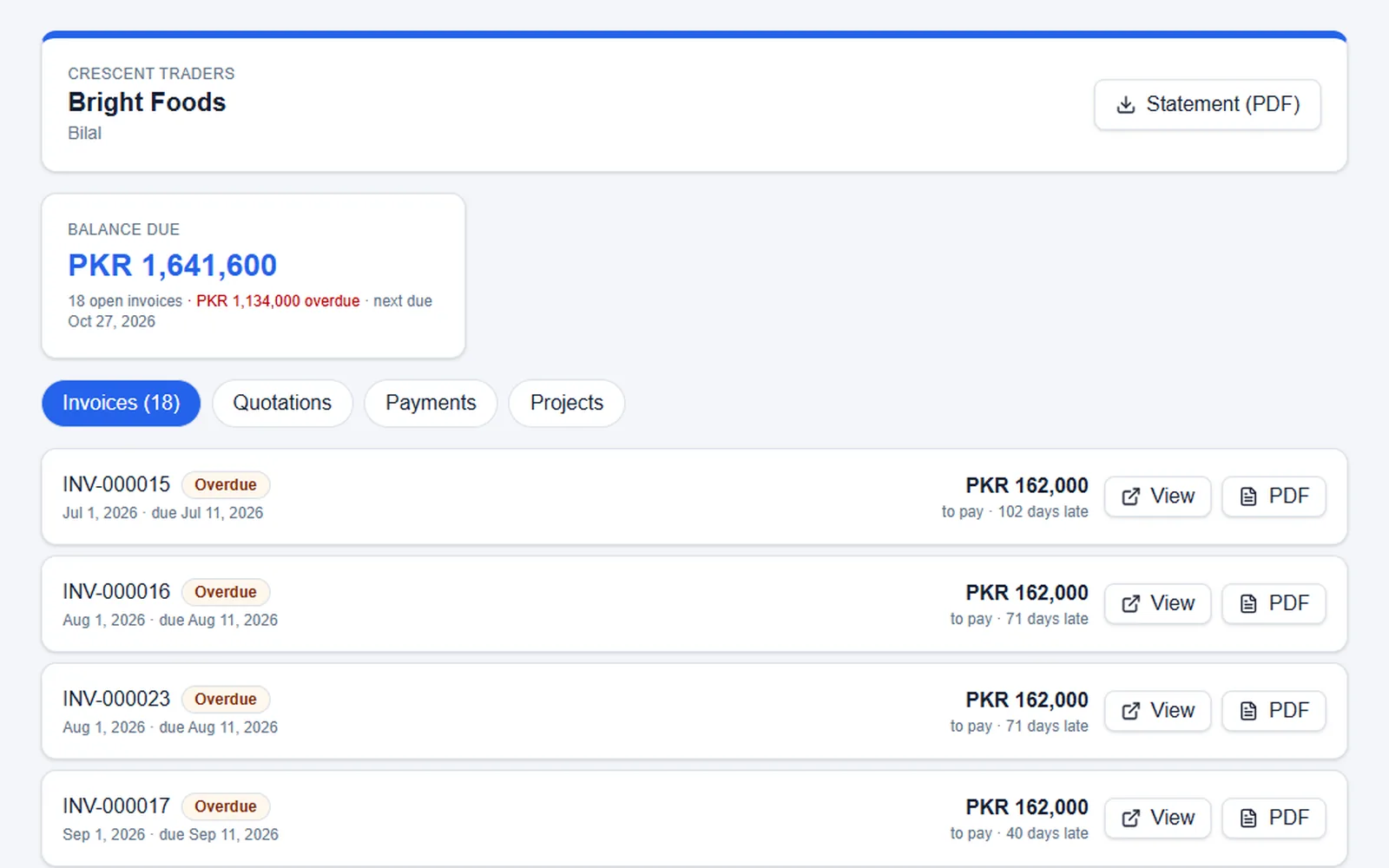
A client’s private account page with the balance due, overdue amount and invoices to view, pay or download
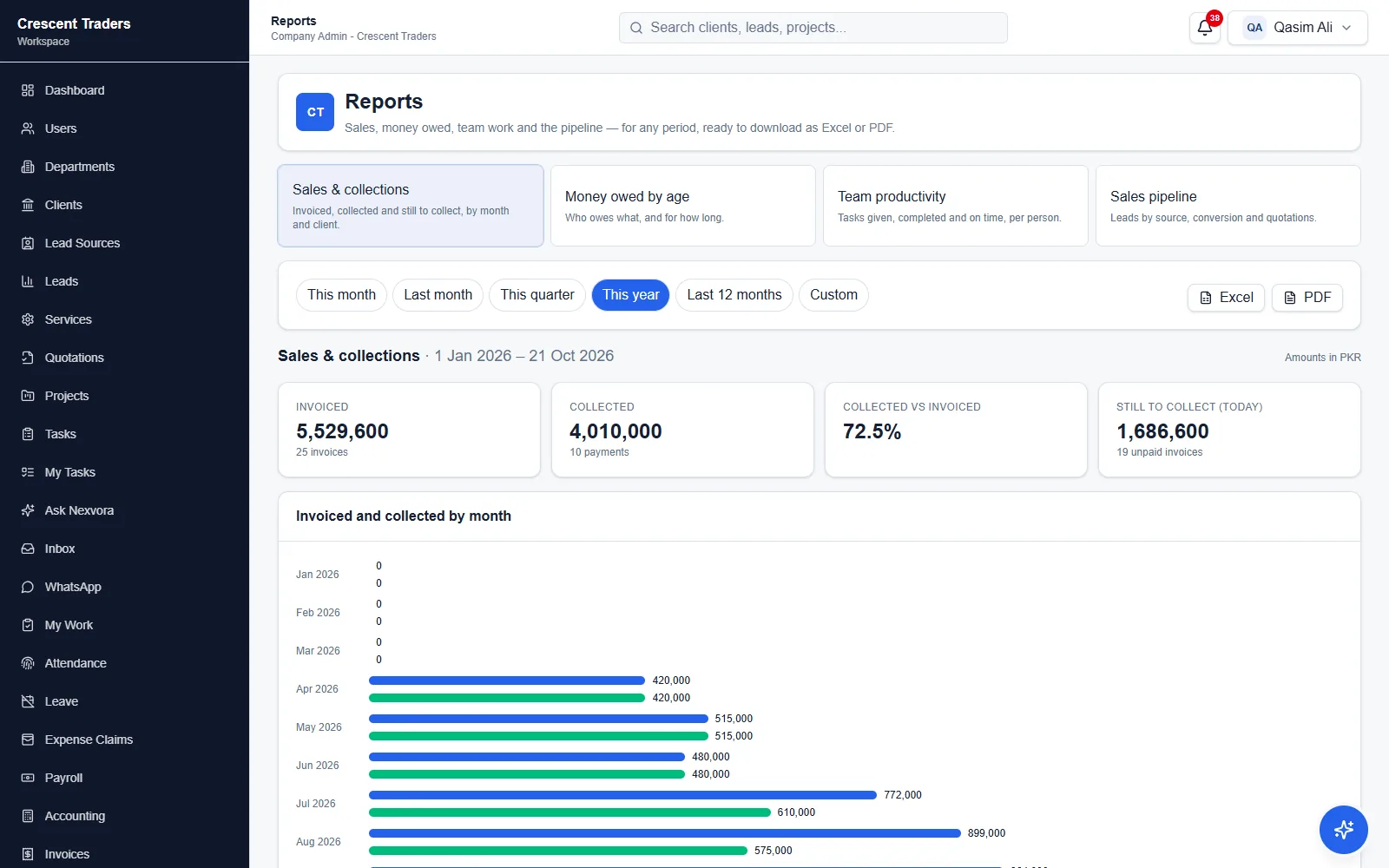
Sales and collections report for the year, ready to download as Excel or PDF
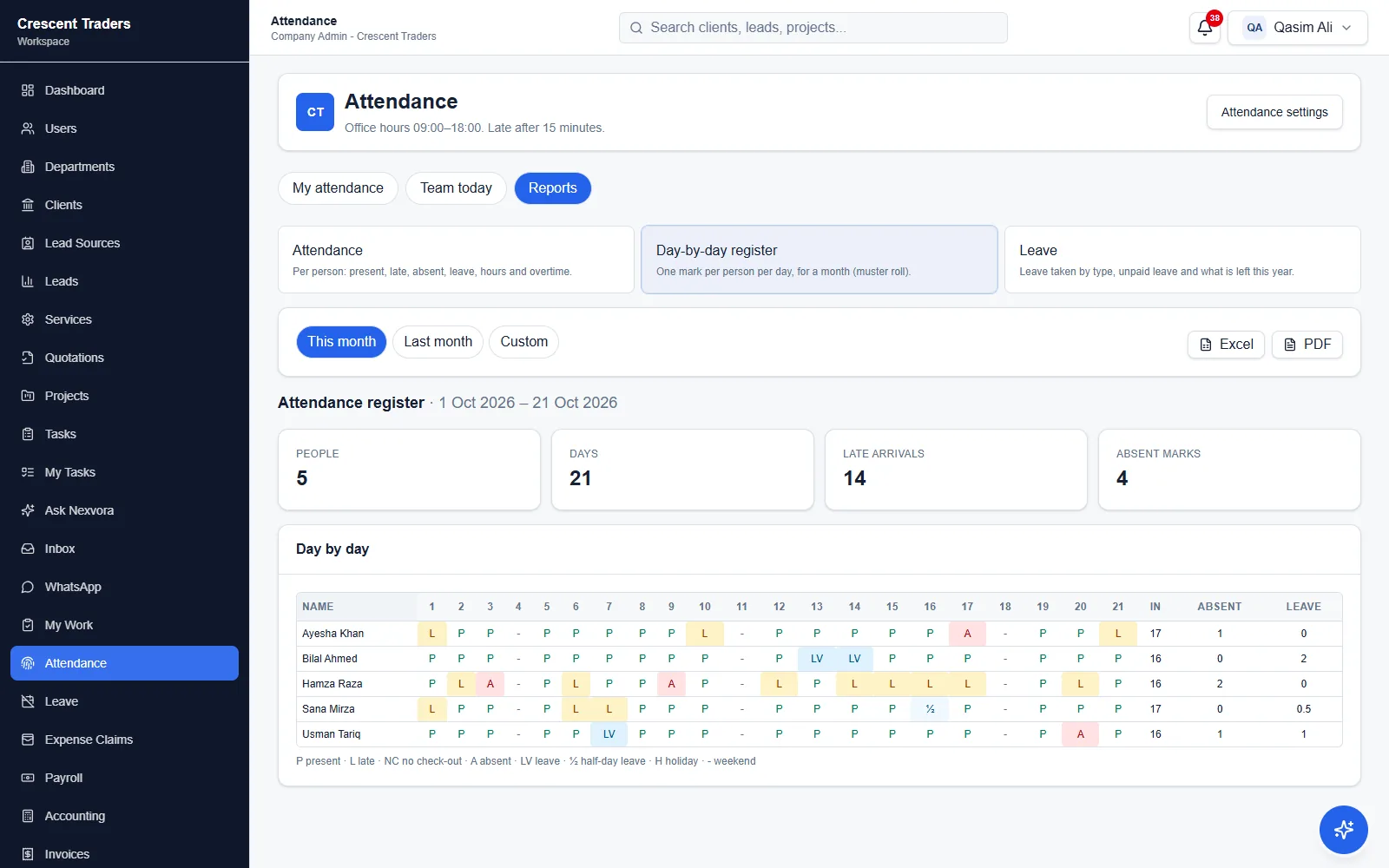
Day-by-day attendance register for the month with present, late, absent and leave marks
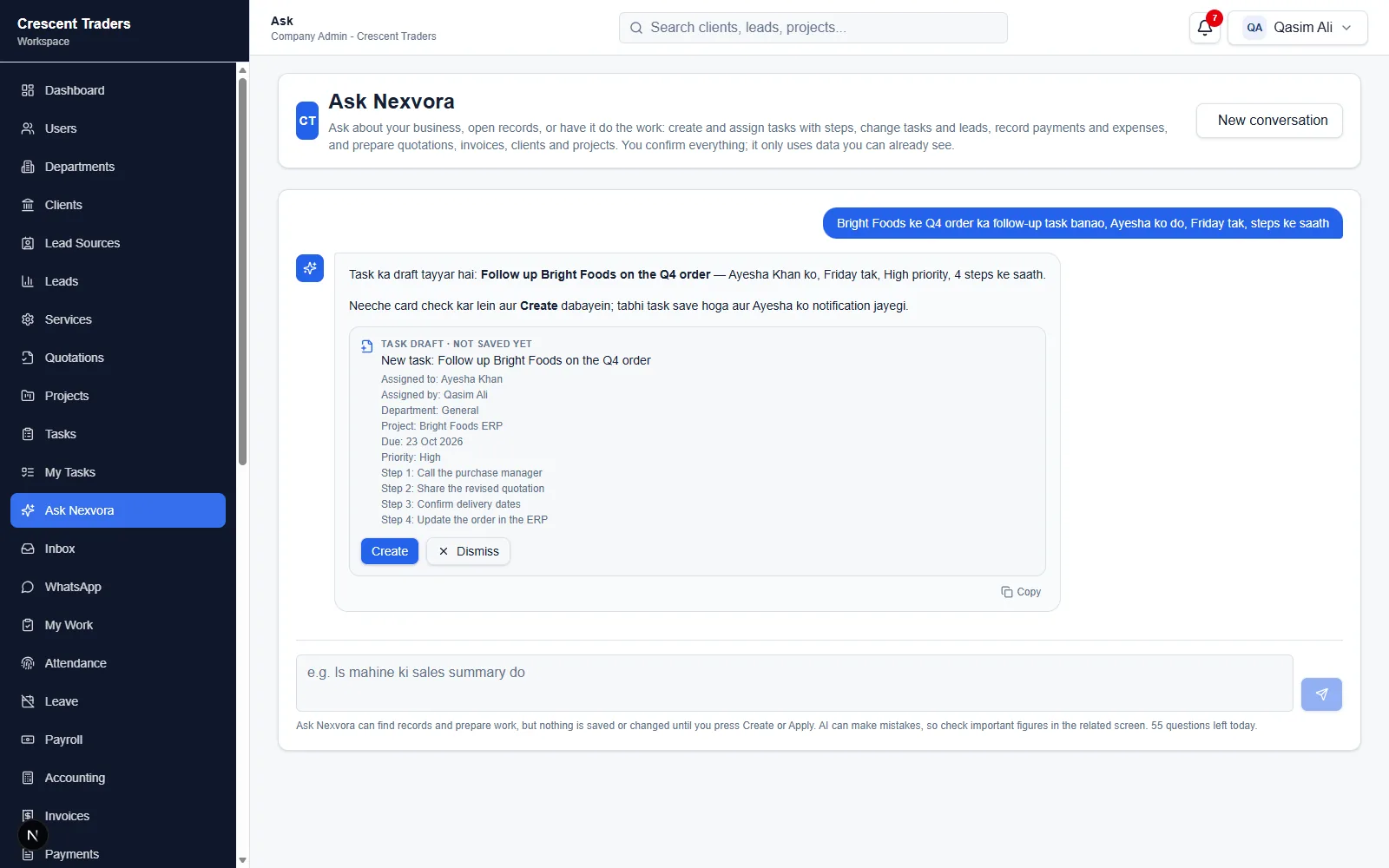
Ask Nexvora turning a Roman Urdu request into a task with a person, due date and steps, ready to create
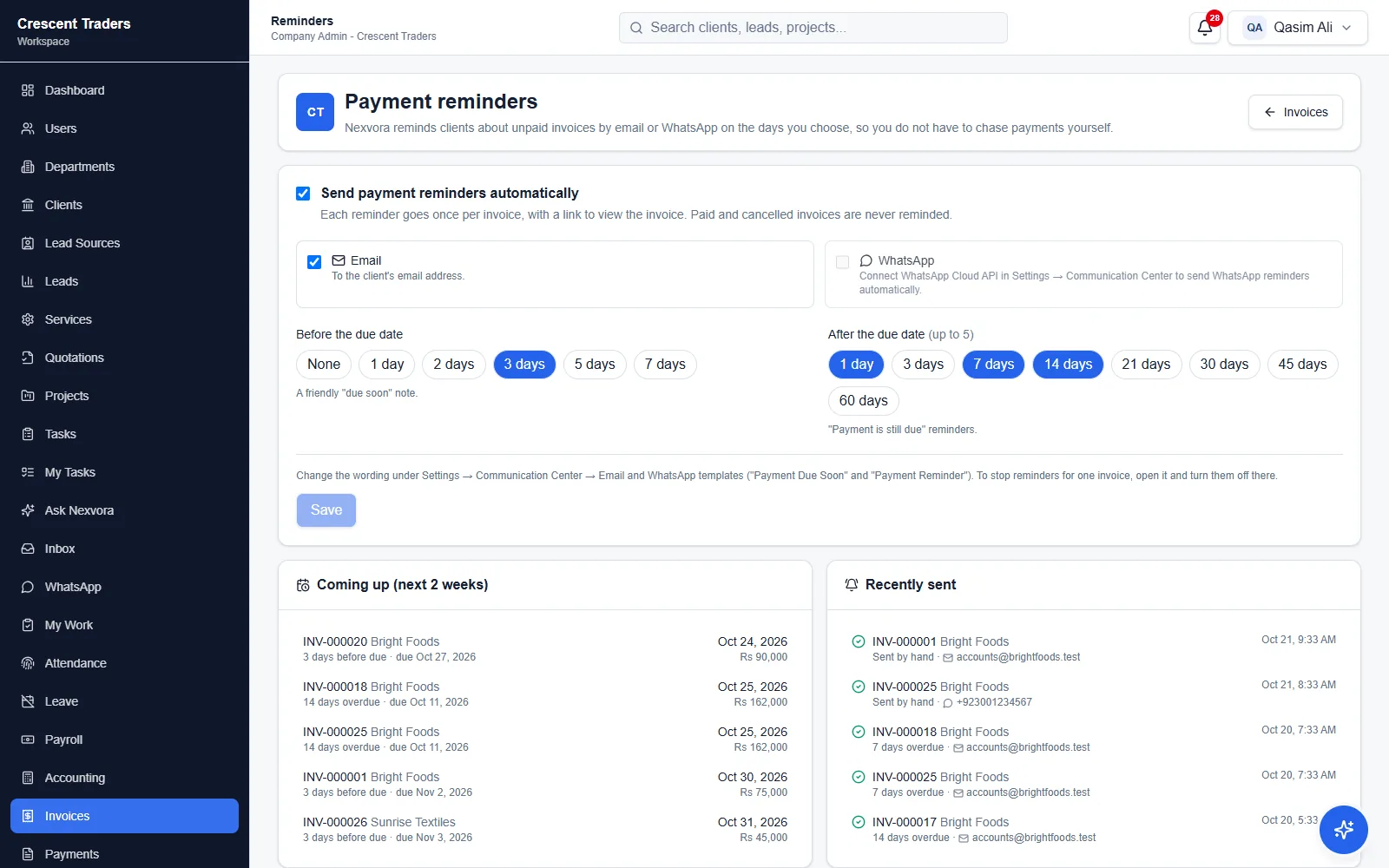
Automatic payment reminders by email or WhatsApp, with reminders coming up and recently sent
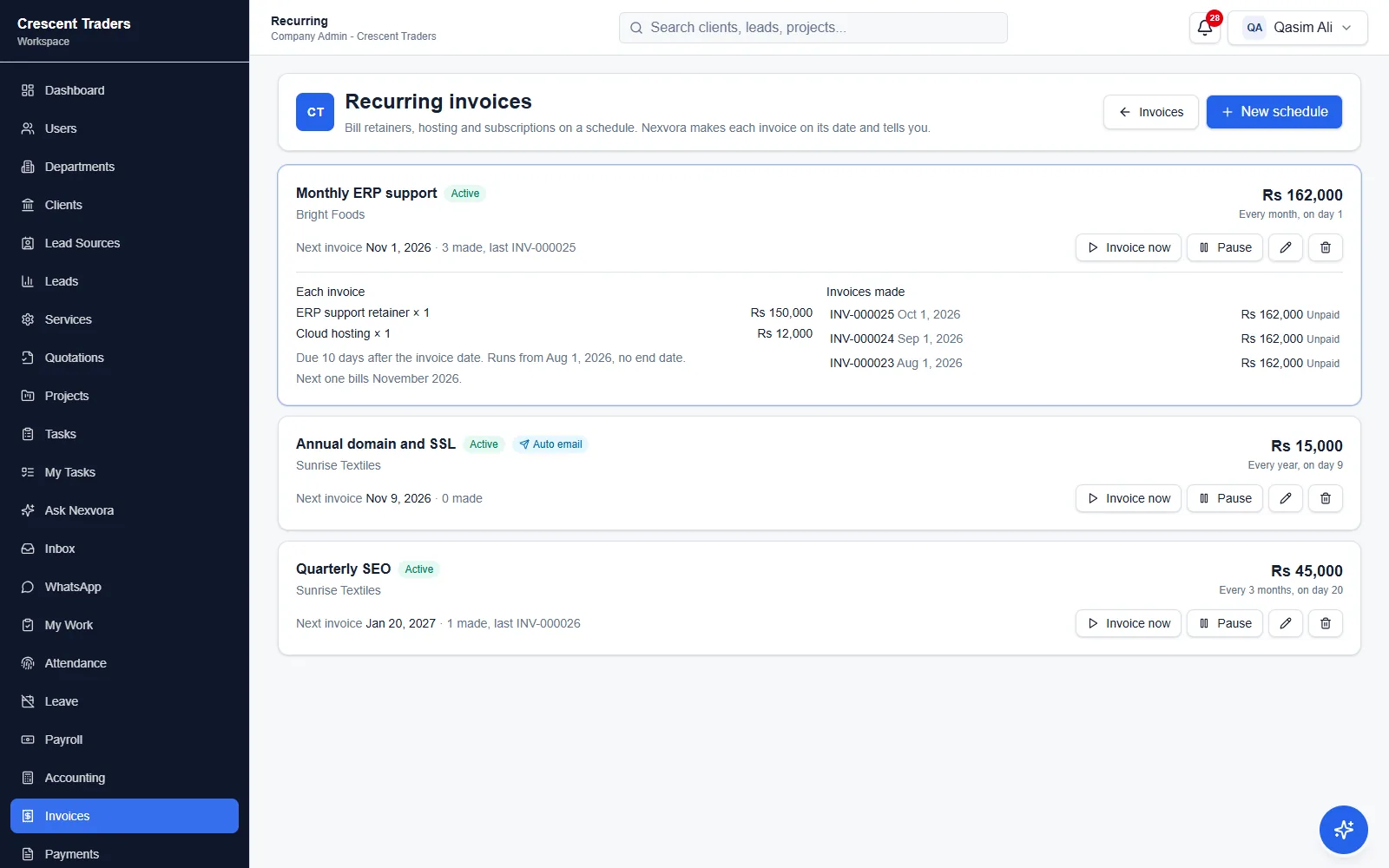
Recurring invoices for monthly, quarterly and yearly retainers, with the invoices each one has made
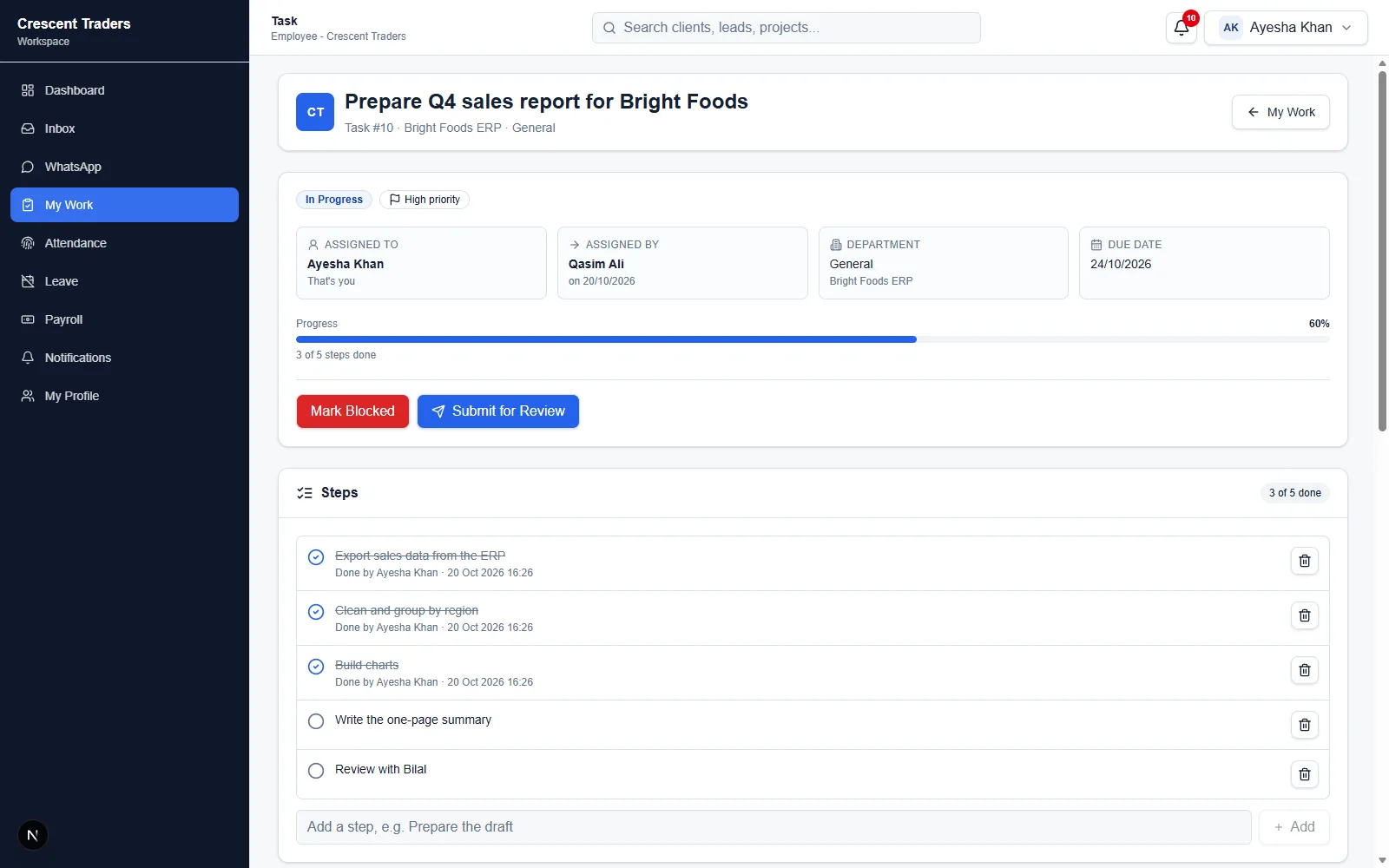
Task page showing who assigned it and to whom, progress and steps
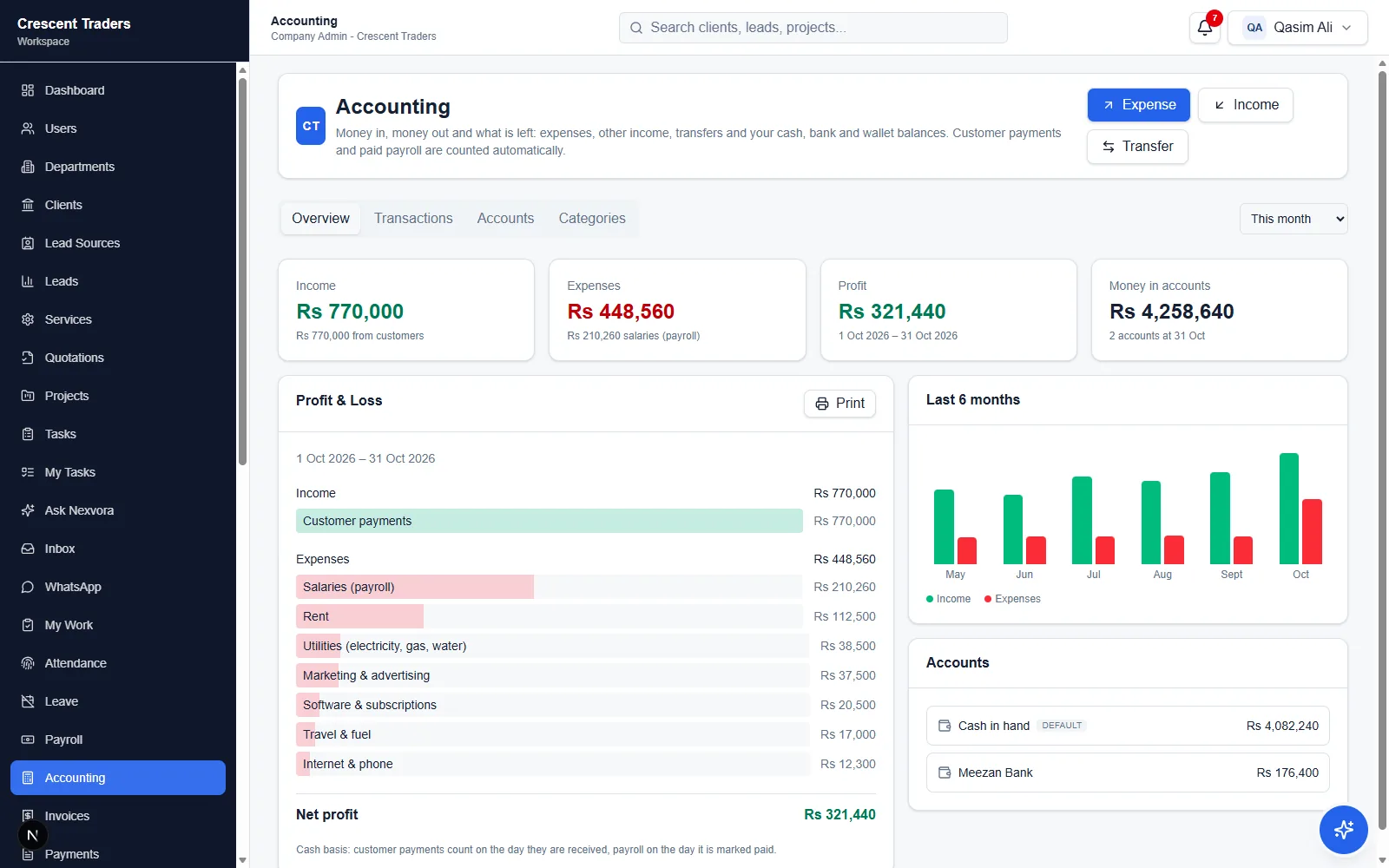
Accounting overview with profit and loss, expenses by category and account balances
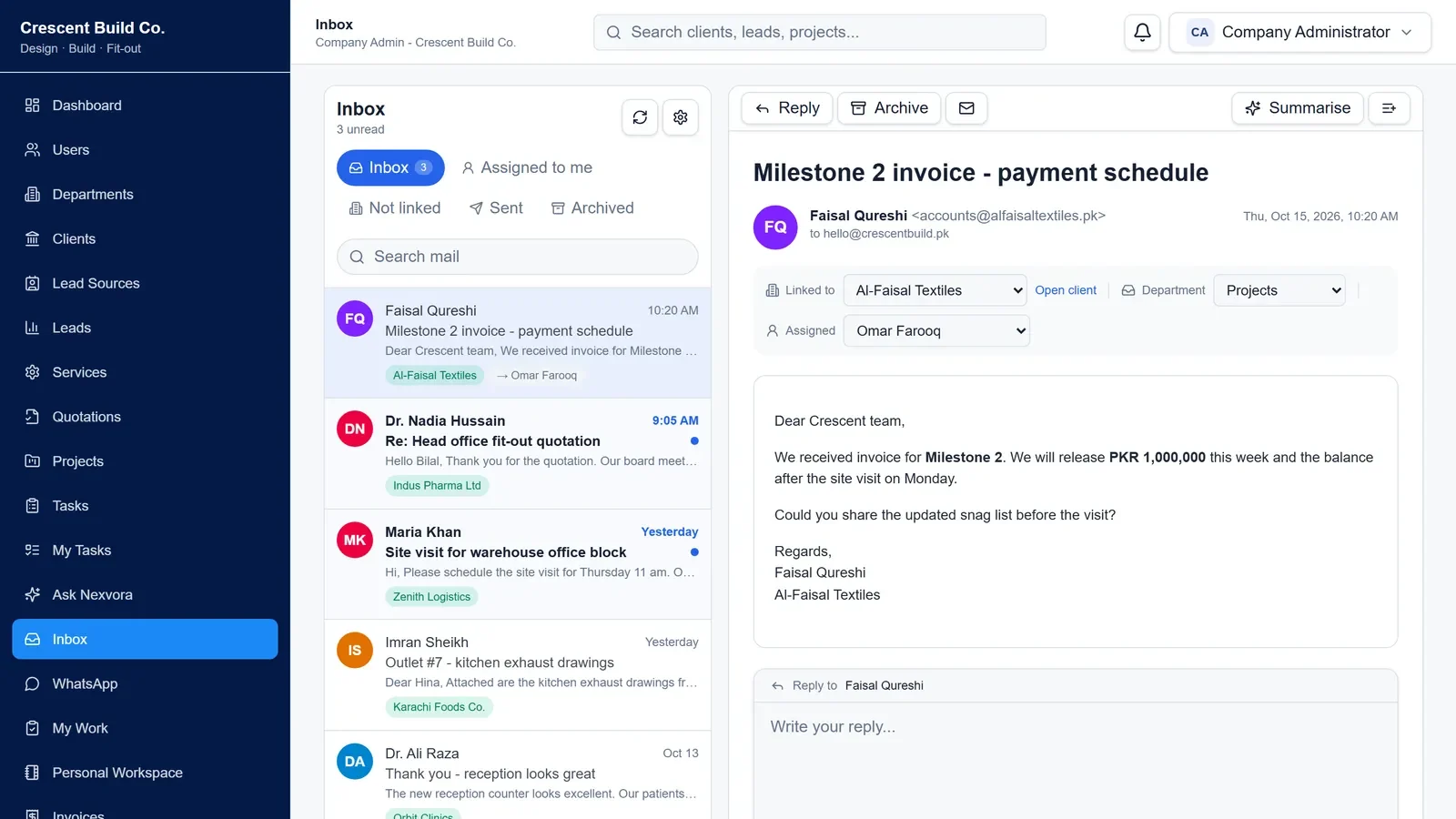
Shared email inbox with emails linked to clients
  • CRM & sales

    Clients, leads and lead sources; branded quotations with public links, sent by email or WhatsApp.

  • Projects & tasks

    Every task shows who assigned it and who has it. Break work into steps and progress moves as they are ticked, with reminders, followers, comments and files.

  • Billing

    Invoices and payments, recurring invoices that make themselves every month, quarter or year, automatic payment reminders before and after the due date by email or WhatsApp, and a Pay now button so clients pay by card or wallet (Safepay).

  • Reports

    Sales and collections, money owed by age, team productivity and the sales pipeline, plus attendance, a day-by-day register and leave — for any period, as Excel or a branded PDF.

  • Accounting

    Cash, bank and wallet accounts, expenses, other income and transfers, with profit & loss by month. Customer payments and payroll are counted automatically.

  • Products & stock

    Products with categories, SKUs and barcodes. Invoices take stock out, vendor bills bring it in, and a reorder list says what to buy. Stock, movements and sales & profit reports in Excel or PDF.

  • Vendors & bills

    The bills you have to pay, part payments, and reminders before they fall due or go overdue.

  • Ask Nexvora (AI)

    Ask about your business in plain English or Roman Urdu, or tell it what to do: create and assign tasks with steps, reassign or reschedule work, update leads, record payments and expenses, and prepare quotations, invoices and projects. You confirm everything, and it only uses data the person is allowed to see.

  • HR & payroll

    Employees, leave with approvals, attendance with an optional office location check, holidays, monthly payroll with payslip PDFs by email, loans or advances, and expense claims with receipts paid back with the salary.

  • Mobile app

    Staff check in (even without internet), apply for leave, claim expenses with a receipt photo, see payslips, approve requests, see their tasks, ask Ask Nexvora and get notifications on their phones — connected by scanning a QR code.

  • Email & WhatsApp inbox

    Your company mailbox and WhatsApp Business chats inside the workspace, linked to the right client or lead, assigned to your team, with AI summaries and reply drafts in the customer’s language.

  • Client portal

    Each client gets a private link — no password — with their balance due, invoices to view or pay, quotations to accept, payments and a statement of account PDF. You see when they opened it and can turn it off any time.

  • Front desk

    Visitors, appointments, interviews and call logs for reception teams.

  • Control & branding

    Custom roles, departments and teams, feature access, audit logs, and your own logo, colours and documents.

  • Security & speed

    Each company is kept apart and checked on every request; big lists load page by page, so years of invoices and tasks still open in a moment.

  • Your data, your backup

    The company admin downloads all company data as Excel-ready files whenever they like — passwords and keys are never in the file.
Latest updates

  • Client portal — a private account link for each client with balance, invoices, quotations, payments and a statement PDF
  • Pay now — clients pay invoices online by card or wallet through Safepay, recorded on the invoice by itself
  • Business reports — sales & collections, money owed by age, team productivity and pipeline, as Excel or PDF
  • Attendance & leave reports — per person and department, a day-by-day register, and leave left this year
  • Expense claims — staff claim with a receipt photo on web or the app; approved claims are paid with the salary
  • Recurring invoices — monthly, quarterly or yearly retainers that bill themselves and can be emailed automatically
  • Automatic payment reminders before and after the due date, by email or WhatsApp
  • Backup & export — all company data as Excel-ready files in one click
  • Mobile app: Ask Nexvora on the phone, and check-in that works without internet
  • AI that does the work: “ye task Ayesha ko do, Friday tak” — tasks with steps, reassigning, payments and expenses, all confirmed by you
  • Accounting — cash and bank accounts, expenses, other income and monthly profit & loss
  • Tasks with steps: who assigned it, who has it, and progress that moves as steps are ticked
  • Faster on large data: lists load page by page with server-side search, and quicker start-up
  • Push notifications in the Nexvora mobile app
  • HR, attendance and payroll — leave approvals, attendance, payslips by email, loans and holidays
  • Nexvora mobile app for staff — attendance, leave, approvals and push notifications
  • Teams inside departments — team leaders see their team, members see their own work
  • AI that prepares quotations, invoices, clients and tasks for you to confirm, and opens records on request
  • Ask Nexvora — an AI assistant for your invoices, payments, leads and projects
  • Company email inbox linked to clients and leads, with AI summaries and reply drafts
  • WhatsApp inbox on the official Business API, with AI summaries and reply drafts
  • Turn an email or WhatsApp chat into a follow-up task with AI — reviewed before saving
  • AI payment reminders for unpaid invoices, by email or WhatsApp
  • Choose your AI: Claude, OpenAI, Gemini or a private model on your own network
  • Custom roles with exactly the permissions your team needs
  • Task reminders, followers and comment notifications
  • Private installation on your own server, with guided first-time setup
  • Personal Workspace — My Day, private tasks, Kanban board and notes

Built with

  • Next.js
  • React
  • ASP.NET Core API
  • SQL Server
  • Flutter
  • Claude AI
  • WhatsApp Business API

Made for

  • Agencies and consultancies
  • Service and trading businesses
  • Growing teams that need HR and payroll
  • Companies that want it on their own server

03 · Retail billing & inventory software

Nexvora ShopPOS

New · Contact for Details

A point of sale and shop system for grocery, general, cosmetics and stationery stores. Fast billing with a barcode scanner or the keyboard, stock that only changes through purchases, sales and recorded adjustments, profit you can see, udhaar with limits, returns and exchanges tied to the original receipt, and a separate till screen where cashiers never see costs or settings. It runs on the shop’s own computer, not in the cloud.

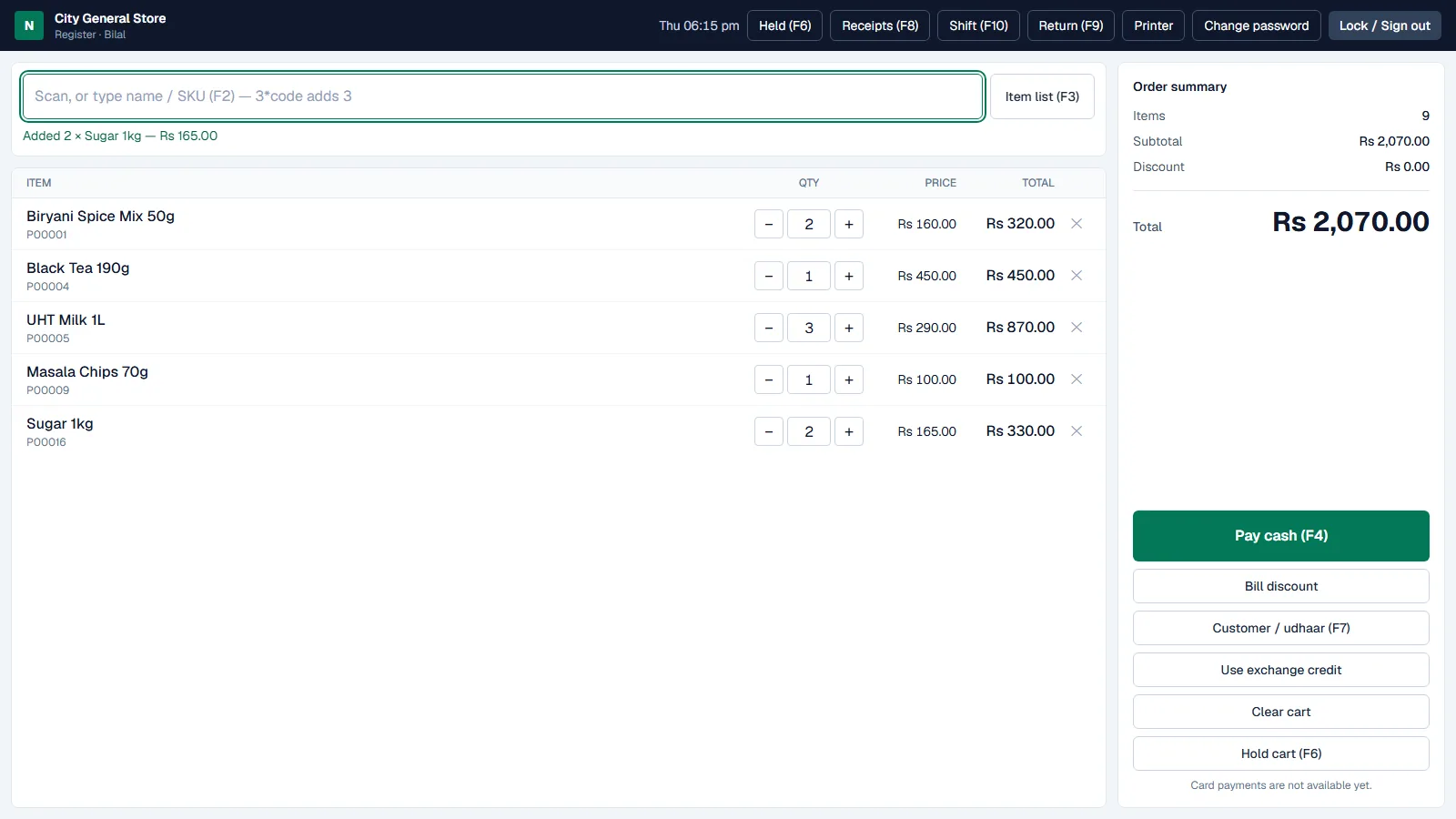
Nexvora ShopPOS till with a scanned basket, order summary and Pay cash button (demo data)
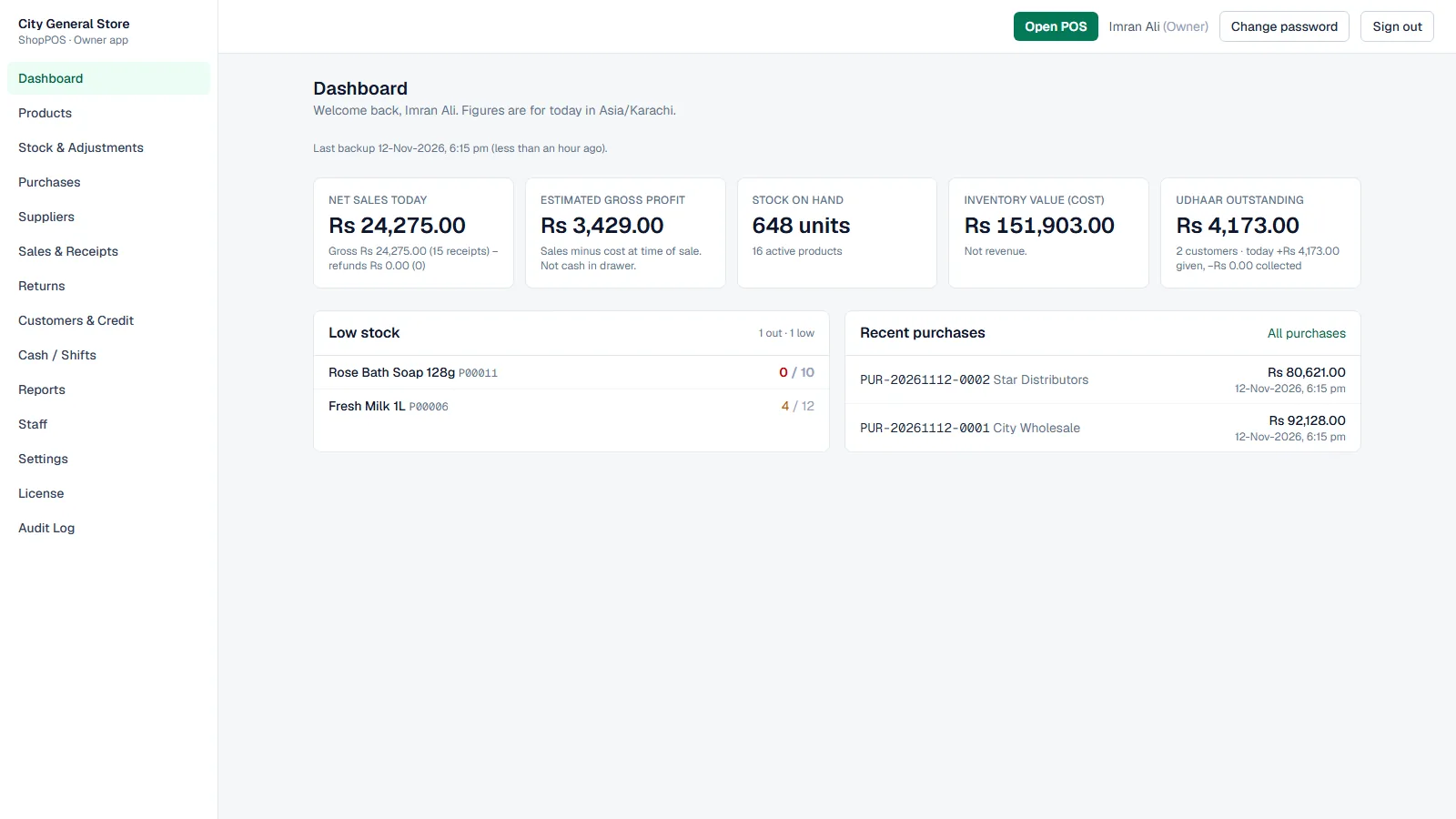
ShopPOS owner dashboard with today’s net sales, gross profit, stock, inventory value, udhaar and low stock (demo data)
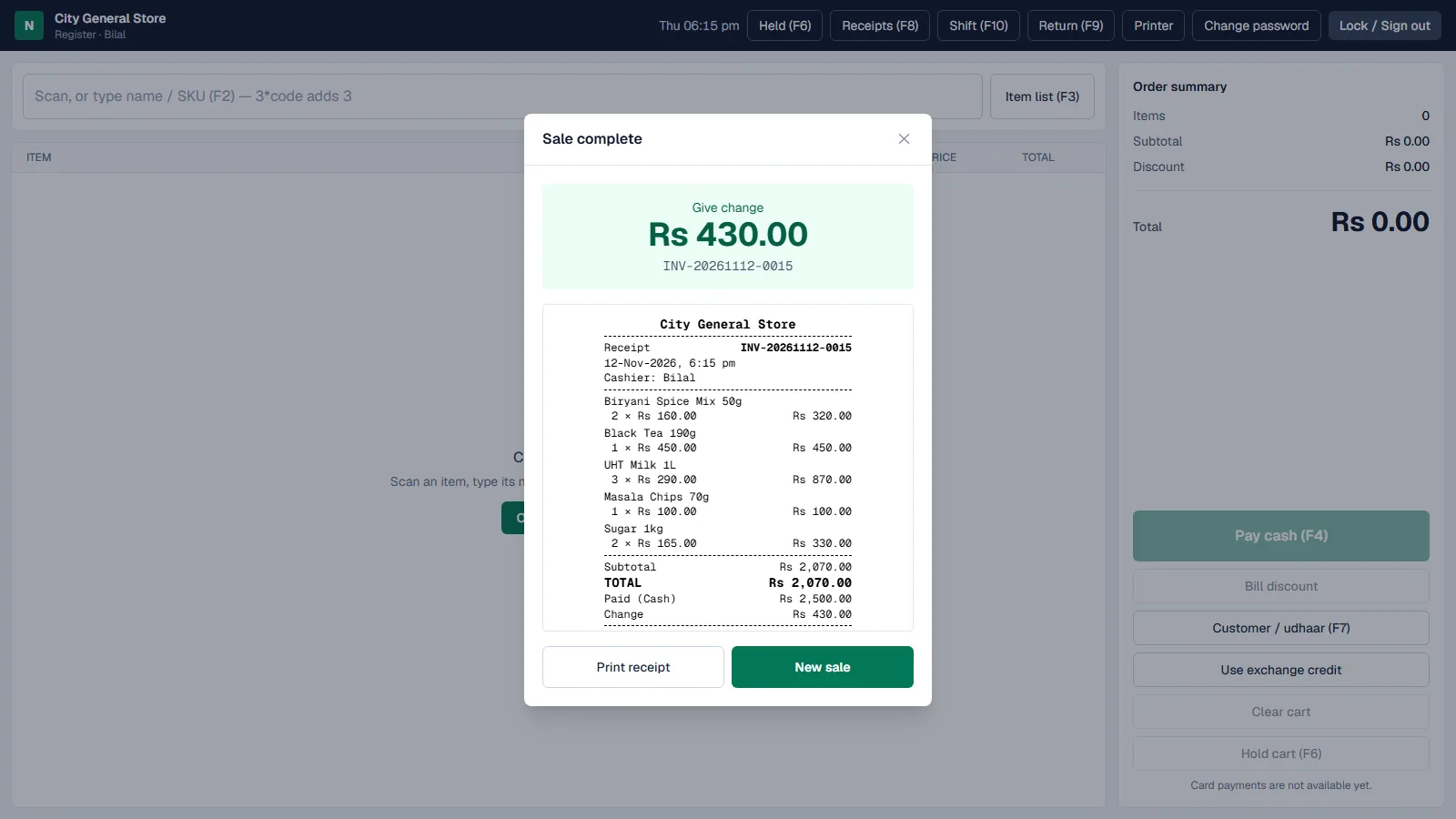
Sale complete at the till: change to give and the receipt (demo data)
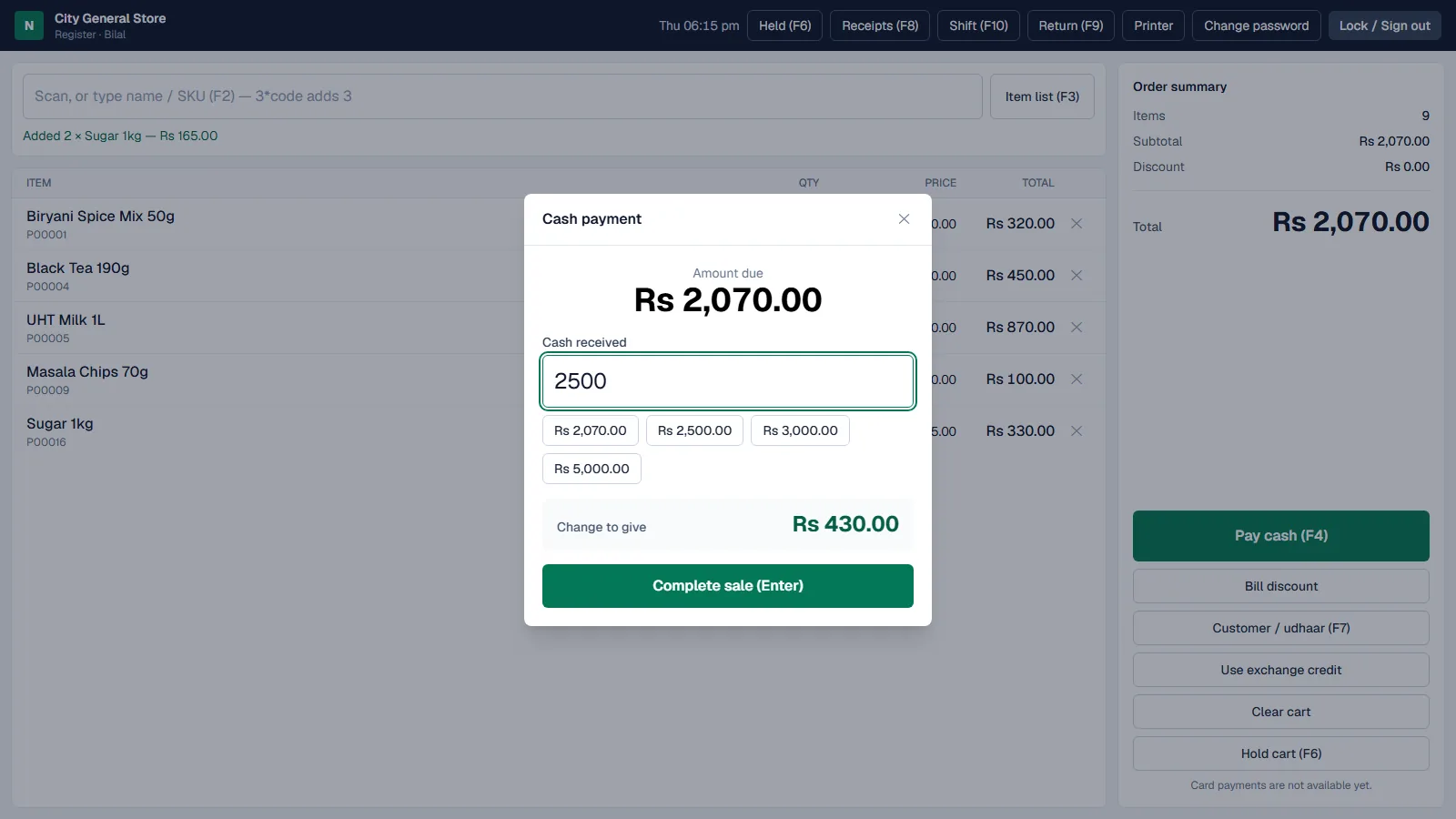
Cash payment with quick amounts and the change worked out (demo data)
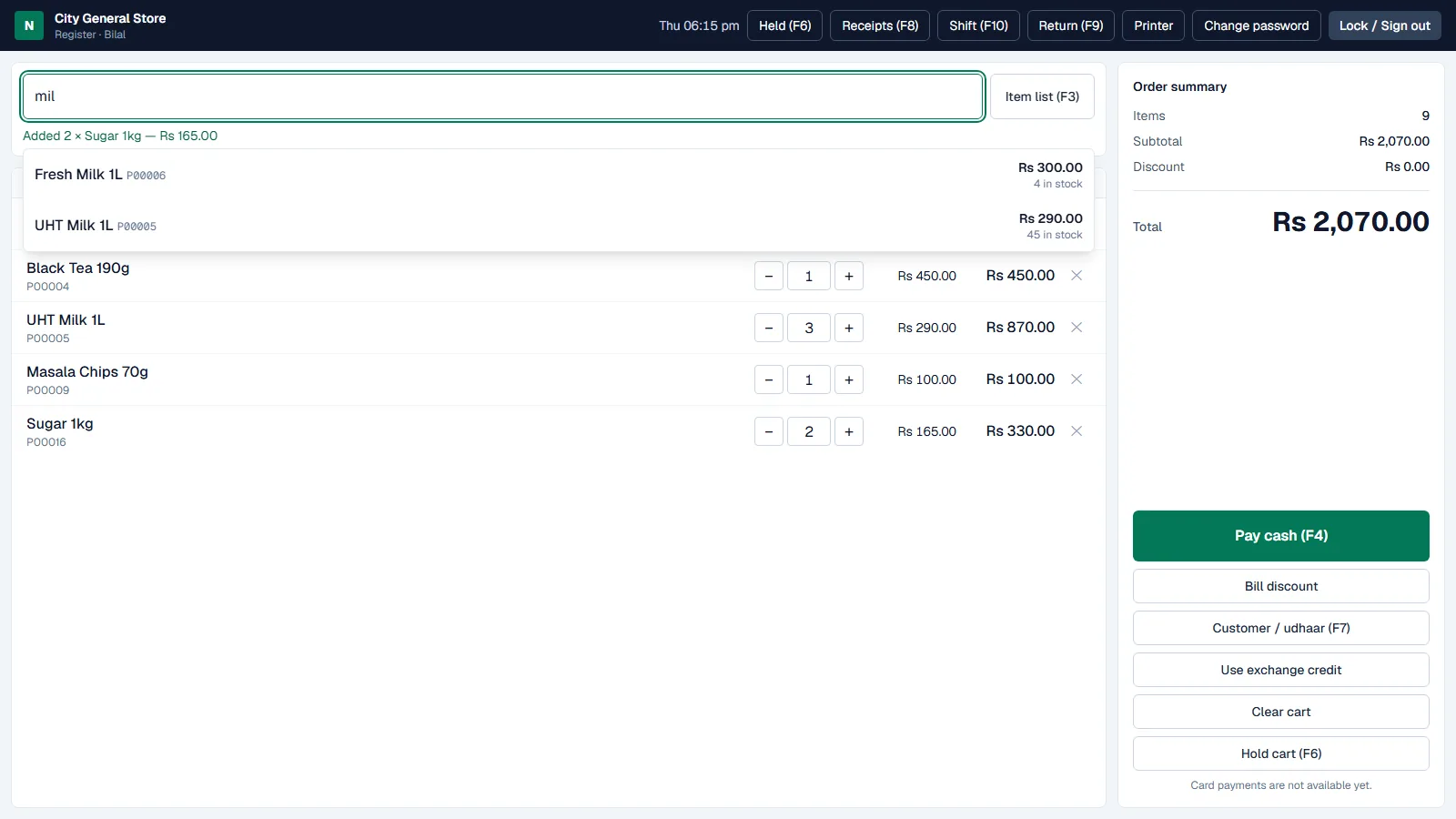
Typing part of a name at the till shows matching products with price and stock (demo data)
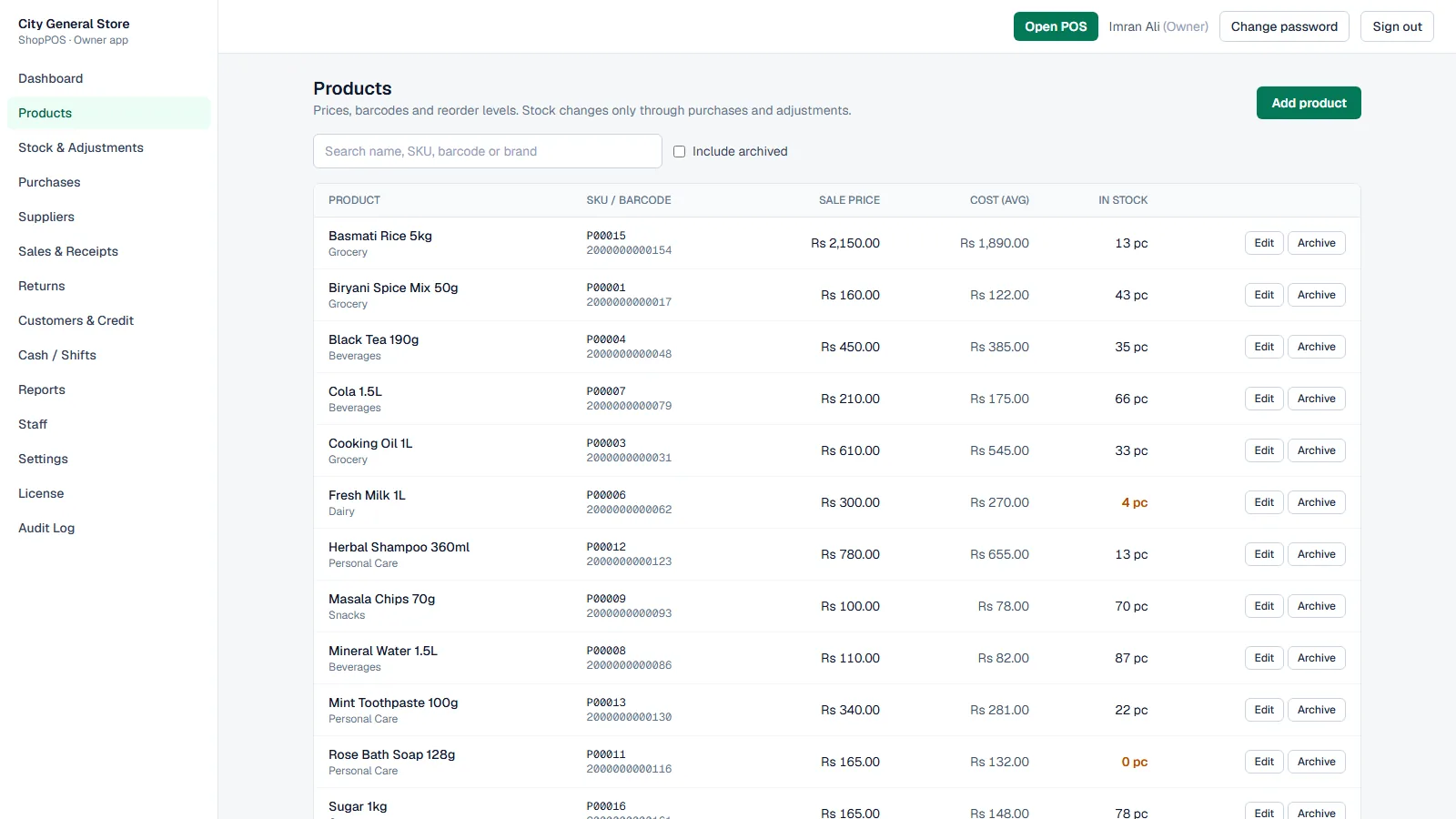
Products with SKU, barcode, sale price, average cost and stock in hand (demo data)
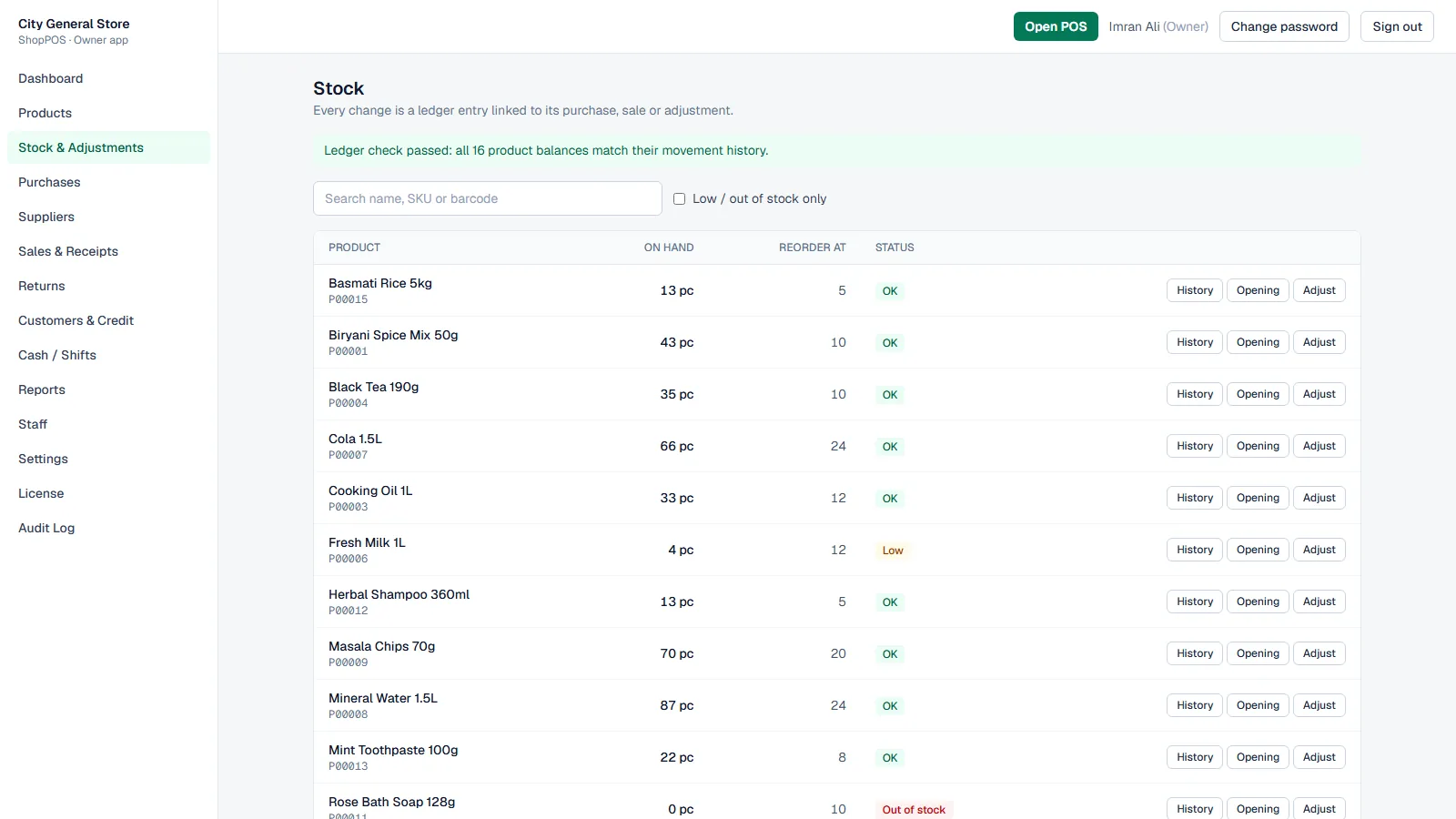
Stock list with reorder levels, low and out-of-stock items and a passed ledger check (demo data)
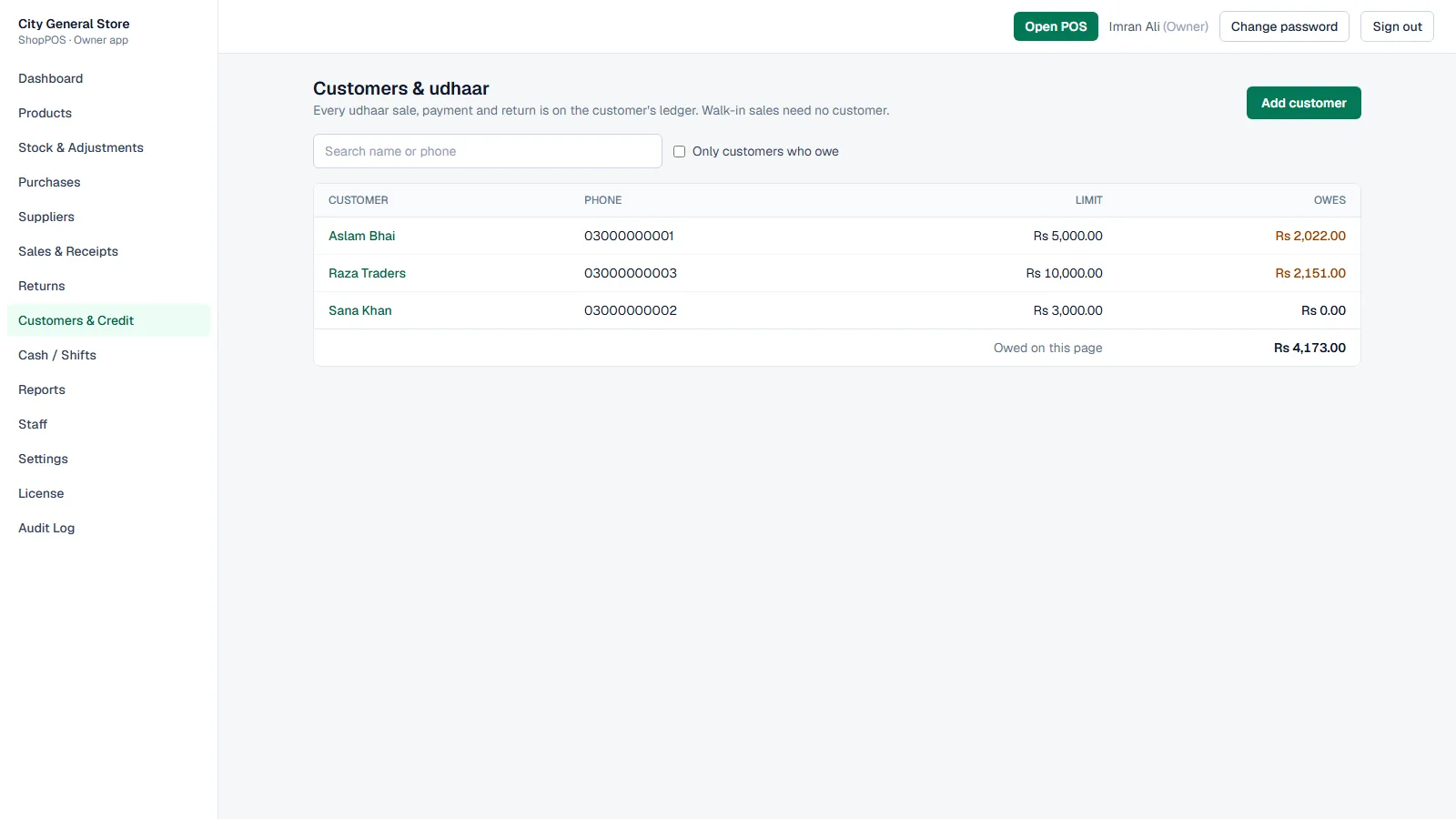
Customers and udhaar: credit limits and what each customer owes (demo data)
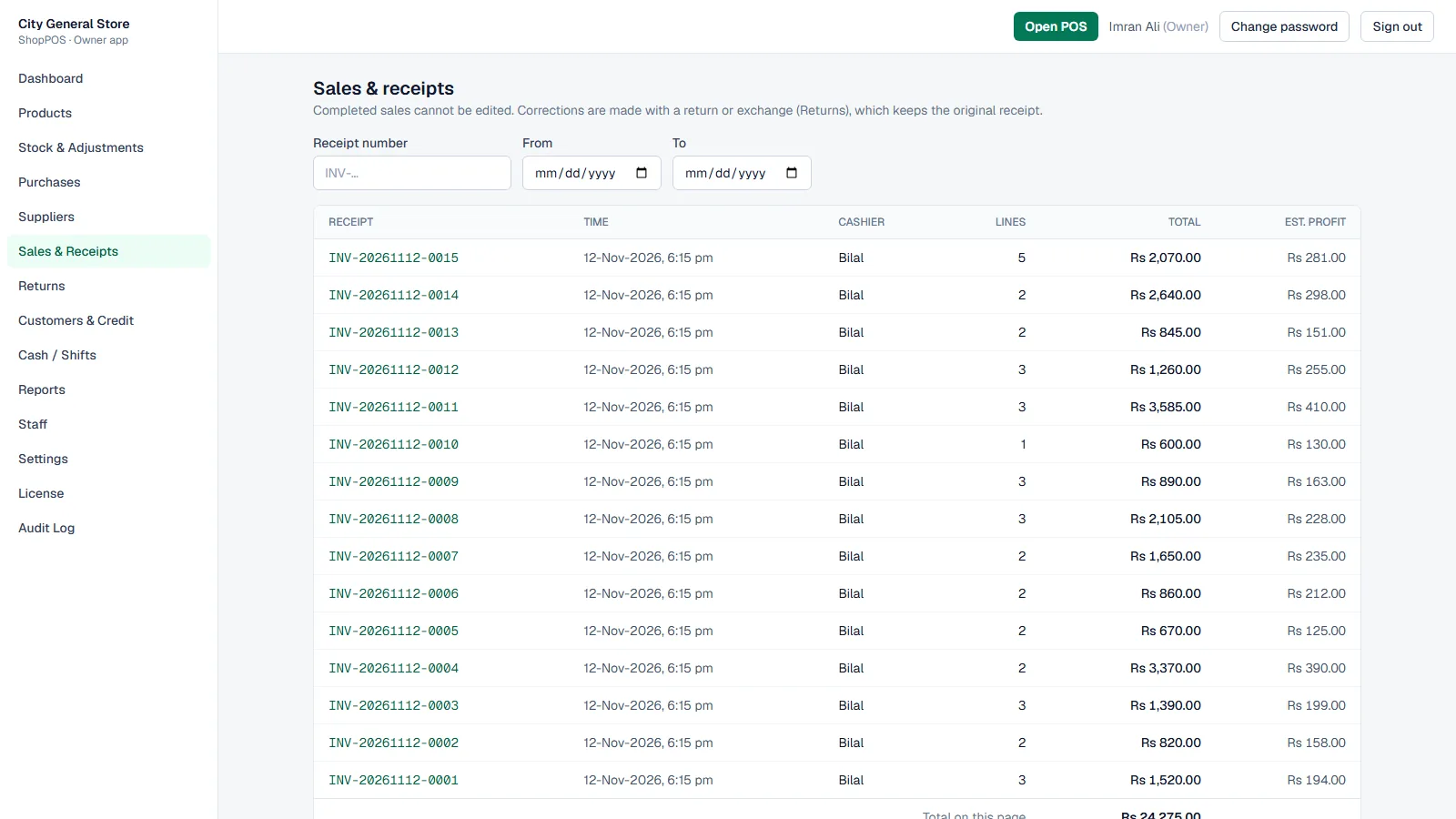
Sales and receipts for the day with cashier, total and estimated profit per receipt (demo data)

Screens shown with demo data: a fictional store, generic products and made-up customers.

  • Fast till

    Scan or type a name, SKU or barcode; 3*code adds three. Keyboard shortcuts for pay, hold, customer, receipts and returns, held carts that come back exactly once, and cash payment with the change worked out.

  • Receipts & printing

    80 mm or 58 mm thermal receipts, or full-page invoices, with your logo. Printing through the browser, or directly to ESC/POS receipt printers (paper cut, cash drawer) and Windows printers with the ShopPOS Print Agent. Reprints need a reason.

  • Stock you can trust

    Every change is a ledger entry linked to its purchase, sale, return or adjustment, and a ledger check confirms the balances. Reorder levels flag low and out-of-stock items.

  • Purchases & suppliers

    Receive stock with supplier and cost, average cost kept up to date, and posted purchases reversed or corrected with a reason instead of edited.

  • Customers & udhaar

    Put part or all of a bill on a customer’s account within their limit, collect payments with a printed receipt, and see a ledger for every customer.

  • Returns, exchanges & voids

    Returns are linked to the original receipt and refunded at what was paid. Exchange credit pays for new items, and a cashier’s return or void waits for a manager.

  • Discounts with control

    Line and bill discounts up to the owner’s cashier limit; anything more, or a price change, needs a manager to approve at the till.

  • Shifts & cash

    Each cashier opens a shift with counted cash and closes it with a blind count; the system shows expected, counted and the difference.

  • Reports

    Today’s net sales, gross profit, inventory value and udhaar on the dashboard; daily sales, products, cashiers, returns, shifts and stock valuation for any date range, with CSV export.

  • Staff & security

    Owner, manager and cashier roles checked on the server, sign-in lockout, idle lock at the till and an audit log of every sensitive action.

  • Install & backup

    One setup file installs ShopPOS as a Windows service on the shop’s computer; tills on the shop network open it in a browser. Nightly backups, and updates that back up first and roll back if needed.

Latest updates

  • Direct printing through the ShopPOS Print Agent — ESC/POS with paper cut, cash drawer and logo, or a Windows printer
  • Barcode scanning in keyboard mode, with scans reaching the till from anywhere on the screen
  • Hold and resume carts, kept on the server so a refresh or another till can bring them back
  • Void a whole sale in the same shift, with a manager’s approval for cashiers
  • Reverse or correct a posted purchase without losing its history
  • Udhaar limits enforced at the till, including “all on udhaar”
  • Blank SKU gets an automatic product code

Built with

  • ASP.NET Core (.NET 10)
  • SQL Server Express
  • Next.js
  • Windows service
  • ESC/POS printing

Made for

  • Grocery and general stores
  • Cosmetics, stationery and convenience shops
  • Shops with one or more cashiers on a local network

Need something these don't cover?

Most of our work is custom. We can extend one of these systems for your operation, or build the one you need from scratch.

See all services

Let's talk

Ready to start your project?

Tell us how your operation runs today. We'll show you what software can take off your team's plate.